Sweepstakes is Over—PowerNation Dodge Charger Goes to Arizona!
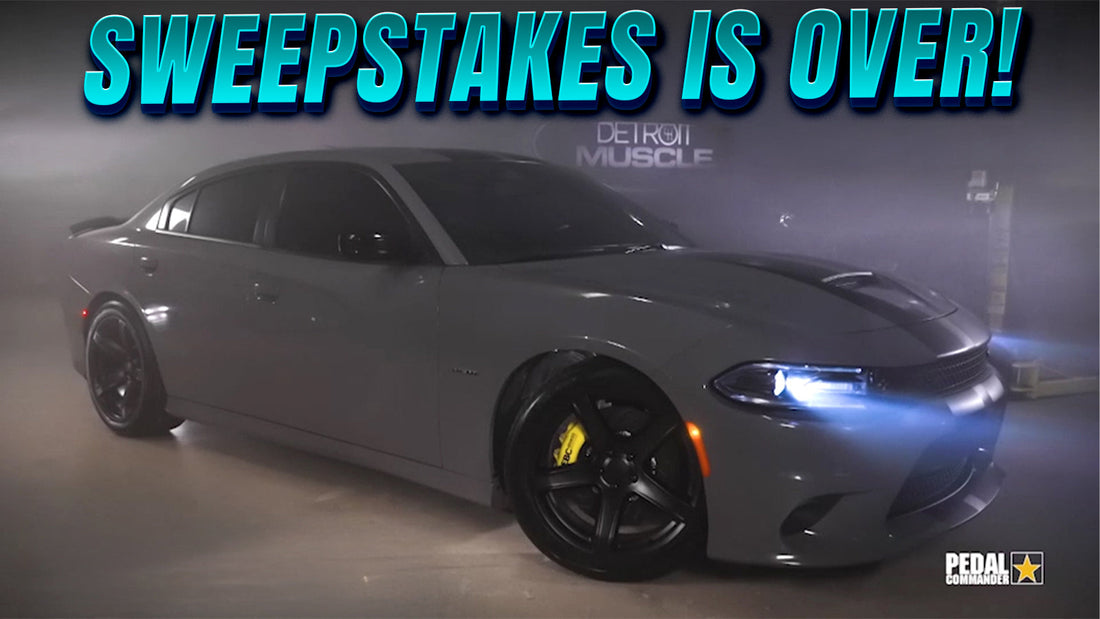
The tire-burning supercharged 2019 Dodge Charger built by no other than our buddies over at PowerNation has found a new home!
Tommy and Peyton at Detroit Muscle put their skills and expertise to work, and transformed the 2019 Dodge Charger into a high-performance monster! The car turned into a tire-shredder with the power boost, the braking power to match, and throttle precision to get the most out of the whole package.
The modern Mopar muscle’s V8 power is upgraded with a supercharger kit from ProCharger. The Magnaflow exhaust guarantees the car sounds as thrilling as it goes with a deep rumble. High-performance discs and calipers from EBC brakes behind the rims provide serious stopping power so it has the control to match.
No build project is complete without precision throttle control. That’s why Peyton and Tommy installed a Pedal Commander® throttle response controller! The icing on the cake, Pedal Commander® makes sure the boosted Charger becomes a true tire slayer!

The 2019 Dodge Charger officially has a new home—it's headed to Arizona, and Raina H. has the keys to the supercharged beast.
Congrats, Raina! Enjoy it in good health!
Already have a Charger? Get the ultimate throttle controller and transform your ride instantly! Click the button below and order yours today!
###btn###PEDAL COMMANDER® FOR DODGE CHARGER###btn###
###product###